Duplicate data
The same customer, item, or supplier is re-typed into three different tools — and drifts out of sync between them.
Connected ERP for manufacturers and distributors
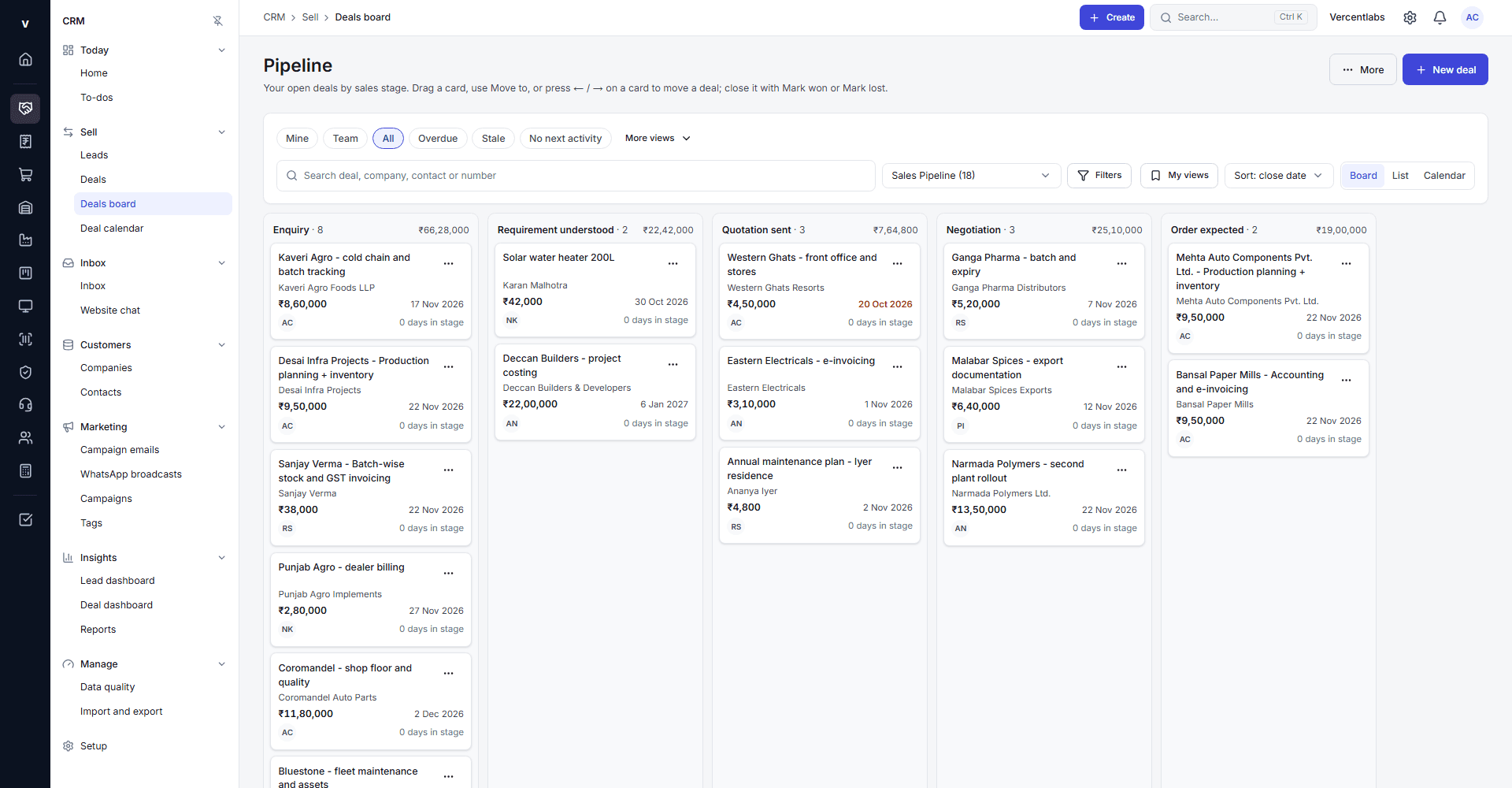
Vercentlabs connects sales, inventory, procurement, production, finance, employees, projects, and service on one live system — so the number your warehouse sees is the same one your finance team sees.
The cost of disconnected tools
A spreadsheet next to an accounting tool next to a WhatsApp thread works for a while. Then a stock count doesn't match, an approval sits in someone's inbox for a week, and nobody can say who approved the last price override.
The same customer, item, or supplier is re-typed into three different tools — and drifts out of sync between them.
Someone spends a day a month matching what the spreadsheet says against what the accounting system says.
A discount, a purchase order, or a leave request waits on an email thread instead of a governed workflow.
What's actually in stock is a guess until someone walks the warehouse and counts it by hand.
Sales, finance, and operations each keep their own version of the numbers — and the three don't agree.
When a handoff breaks, there's no record of where — or whose job it was to catch it.
Procurement doesn't know what sales just promised a customer; production doesn't know what procurement just ordered.
When something goes wrong, reconstructing who changed what — and when — takes hours, if it's possible at all.
Why this is an ERP, not five apps with one login
A lead becomes an opportunity, a quotation, and an order without being re-typed. The same order is visible to finance for invoicing and to the warehouse and production teams who need to know it exists — on the same system, not synced between separate ones.
Captured from any channel, scored, and assigned automatically.
Progresses through a governed pipeline with qualification checkpoints.
Priced with GST-aware tax rules, accepted publicly with a digital signature.
Converted from the accepted quotation with a real-time credit check.
See the same order and item records — no separate spreadsheet to reconcile.
Inspects incoming, in-process, and outgoing goods against the same item and batch records.
Generated from the order through an auditable, idempotent handoff.
Any resulting ticket carries the full order and account history automatically.
Twelve modules, one system of record
Grouped the way your teams actually think about the business — not by internal engineering structure.
From first contact to the till — one pipeline, one price book, one order history.
What you can build, buy, and ship — governed by the same supplier and item records.
The books and the assets that back them, reconciled against real transactions, not estimates.
The people running the business, and the customers they serve after the sale.
Billable work, tracked against budget and margin while it's still in progress.
Depth without the feature dump
This is an evidence registry, not a feature-completion claim. It shows how the retained ERP scope breaks down across operational modules and the shared platform.
991
Documented requirements
Operational modules
Requirements specific to the 12 modules above — from lead scoring to production costing.
Shared platform
Multi-tenancy, roles and permissions, approvals, audit, reporting, and mobile access — used by every module.
Governed automation
Approval routing, separation-of-duties enforcement, and SLA tracking, not bolted on after the fact.
Audit trail
Every record change is logged at the database level — even an application bug can't alter history.
See it work: lead to cash
This is the same sequence a real deal follows inside Vercentlabs, not a simplified diagram of how ERPs work in general.
Connected workflow
One record moves through every stage, with ownership and controls visible at each handoff.
Marketing / Sales
Scored automatically and assigned by policy — no manual triage queue.
Sales
Account and contact records created in one step; duplicate accounts are flagged, not silently created.
Sales
Priced against the customer's price list and India GST rules automatically.
Customer
Approves publicly with a typed signature — no separate e-signature tool.
Sales / Finance
Checked against the customer's live credit exposure before confirmation is allowed.
Finance
Generated from the order through an idempotent, auditable handoff — not re-keyed.
Follow the complete process, including approvals, exception handling, automation, and the reports each team sees.
See the full workflowOne system, every seat
One real number for revenue, stock, and cash — not three reports that disagree.
A pipeline that reflects what's actually been quoted and ordered, not what's remembered.
Shared item and order records with production and the warehouse — no separate spreadsheet to keep in sync.
Invoices generated from real orders, a governed close process, and an audit trail that holds up.
A work order that can't be released without the components to build it.
Attendance-driven payroll with the same separation-of-duties controls as the rest of the business.
Automation and reporting, not an add-on
Discounts, purchase orders, and journal entries route to the right approver by policy, not by whoever's free.
The person who creates a record can't approve it — enforced in the system, not just written in a policy document.
Support tickets carry policy-driven due dates and escalate automatically when they're missed.
A failed inspection places an automatic hold on the affected stock — no manual flag to remember.
Dashboards read from the same live data every module writes to, not a separate reporting warehouse that's a day behind.
Enterprise control, explained plainly
Real, implemented mechanisms — not a generic security-policy page.
See the security architecture →Twelve seeded system roles with hand-curated permission sets, scoped to what each role actually needs.
Access can expire automatically and be scoped to a specific company, branch, or department — not all-or-nothing.
A reusable, governed command registry enforces maker-checker approval across accounting, sales, CRM, HR, assets, and projects.
A database trigger rejects any attempt to alter or delete an audit log entry — even from inside the application.
Structural, database-level isolation between companies and branches — not just an application-layer filter.
Every tenant's data is isolated at the database layer, enforced on every query, not assumed by convention.
Getting live
Vercentlabs is configurable, not a black box — but a real ERP adoption succeeds or fails on the implementation, not the software alone.
We map your current processes, data, and the modules you actually need on day one.
Roles, approval chains, numbering series, and module settings are configured to match how you work.
Customers, items, suppliers, and open balances are migrated and reconciled before go-live.
Your team runs real transactions in a staging environment before anything goes live.
Role-specific training for the people who'll actually use the system day to day.
A phased go-live, module by module or location by location — not a single high-risk cutover.
Structured support during the weeks where real usage surfaces what training couldn't.
Straight answers
Yes. Multi-company and branch-level data isolation is implemented at the database layer, and role access can be scoped to a specific company or branch rather than granted organisation-wide.
Both. All 12 modules run on one shared platform and data model, but module access is entitlement-gated per organisation — you can enable what you need now and add more later.
Yes. Roles, permission sets, and approval routing are configured per organisation through a reusable governed command registry, not hard-coded.
Yes — customers, items, suppliers, and open transactions are migrated and reconciled as part of implementation, not left for you to re-enter by hand.
Yes. The Manufacturing module covers bills of materials, work orders, and production posting into a live stock ledger; the Stock and Point of Sale modules cover multi-location distribution and retail.
Through role-based permissions with optional time-bound expiry and company/branch/department scoping, backed by an immutable, database-enforced audit trail of every change.
Built around your workflow
The demo is adapted to your business — the modules and workflows you'd actually use, not a generic tour.
See it on your workflow
30-minute working session